Social Media Safe Zones: Free Ad Resizer and templates for TikTok, Reels & Shorts

You finish a sharp vertical video, upload it and discover that TikTok has covered the price, Instagram has parked a button on your CTA, and YouTube has hidden half the subtitles. The platforms do not dislike your video. They simply brought their own furniture.
A social media safe zone is the part of a video where important text, products and faces should remain visible after an app adds its buttons and labels. Your headline should sell the product, not play hide-and-seek with the Share button.
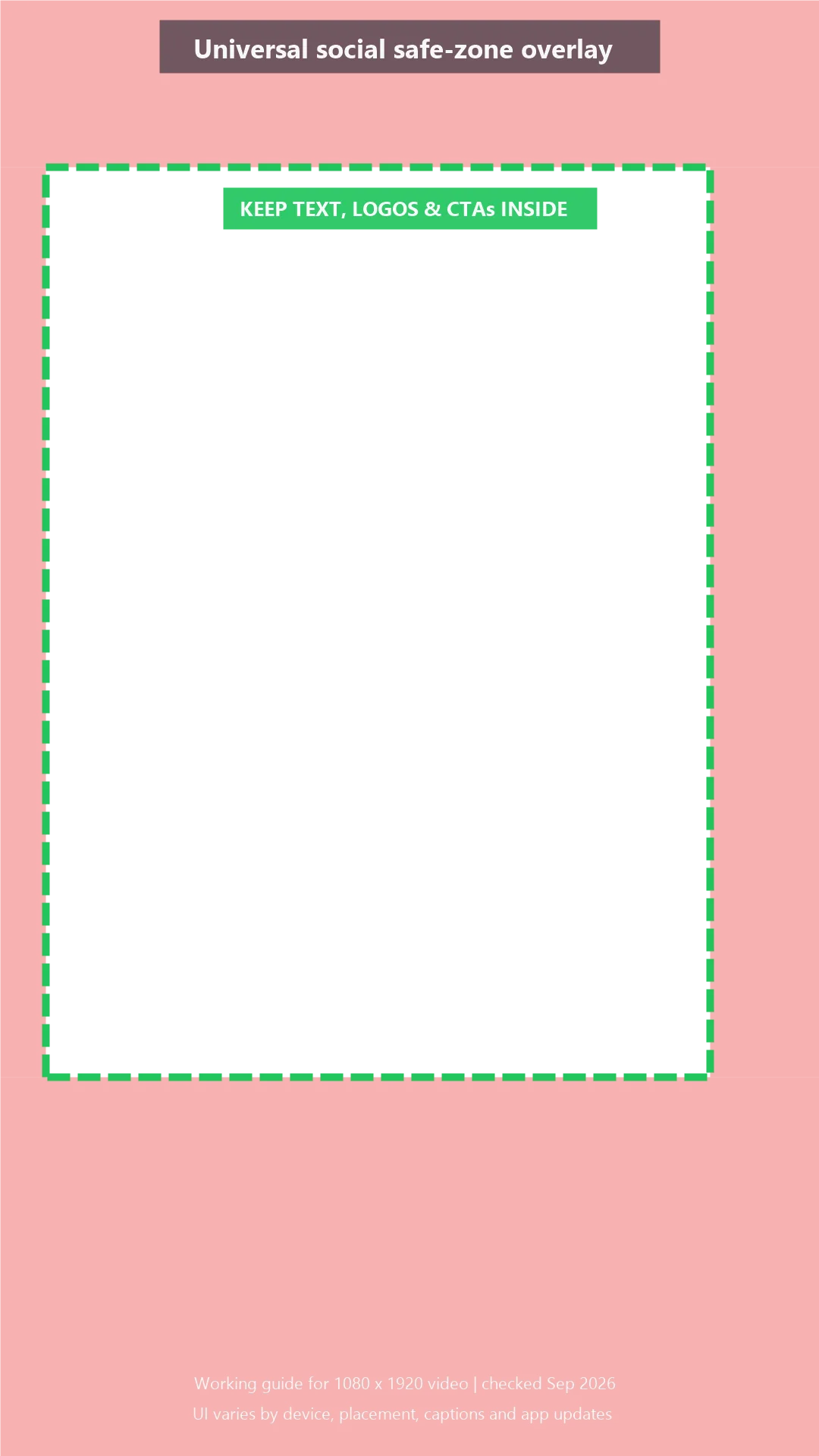
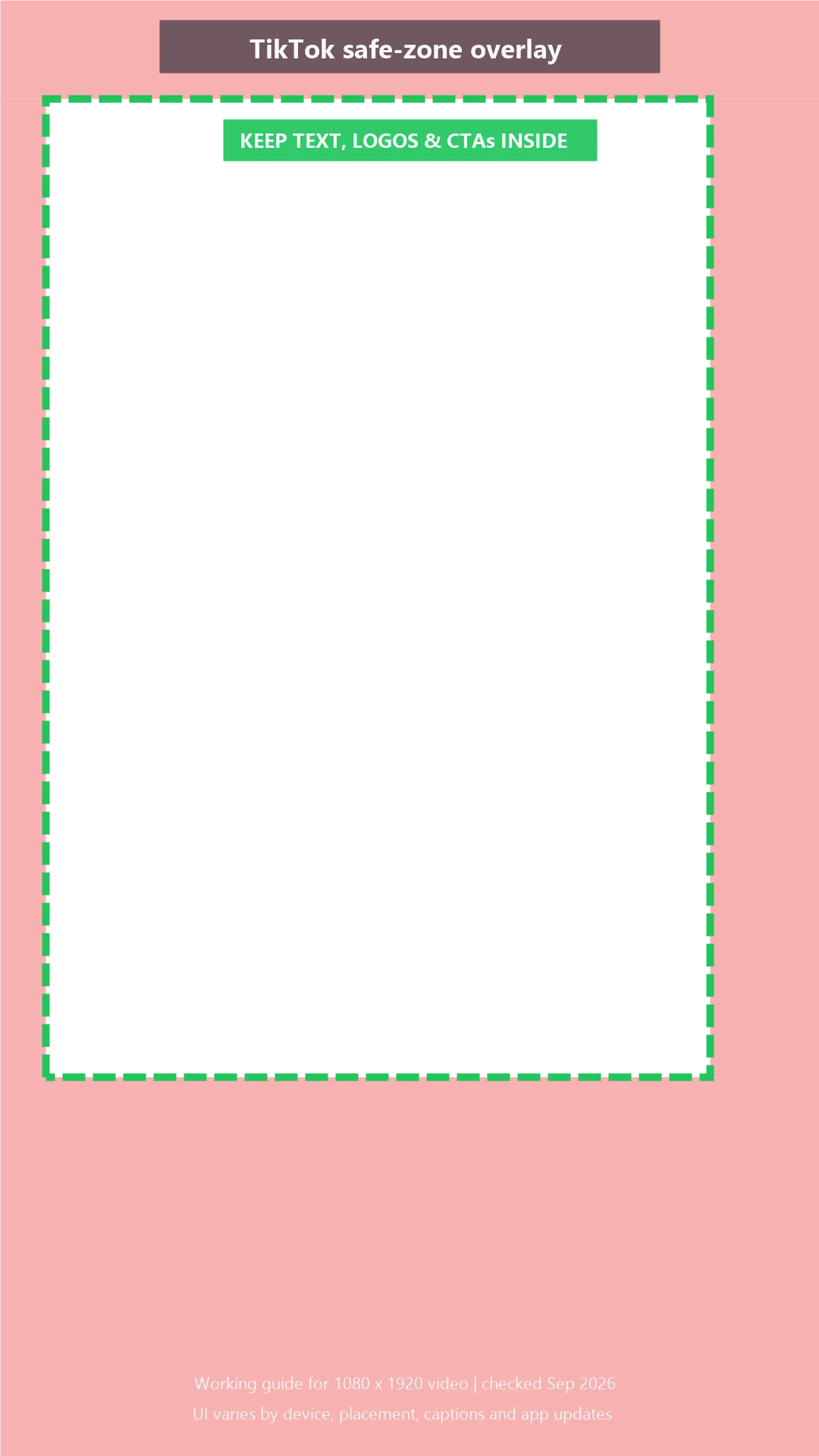
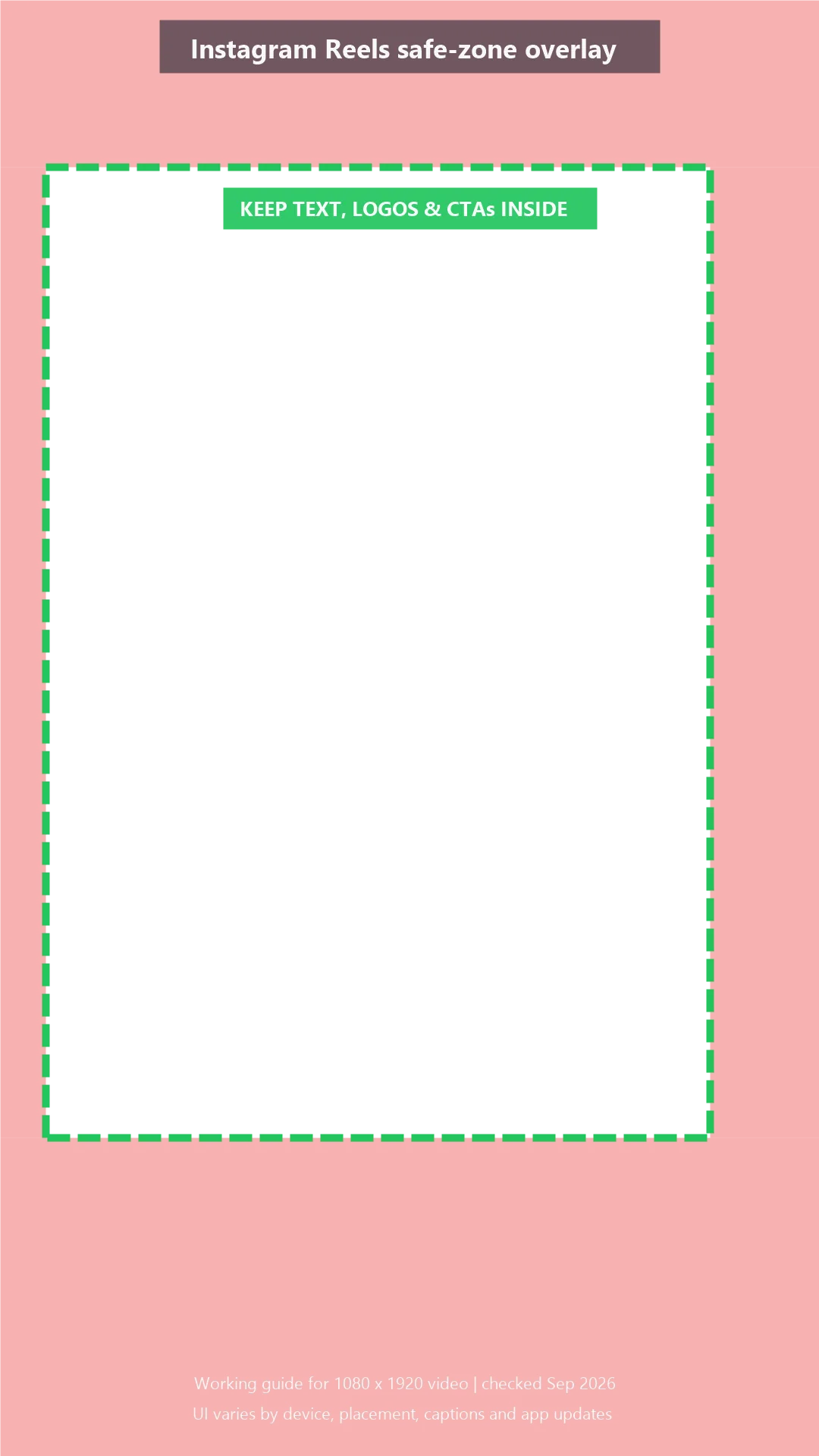
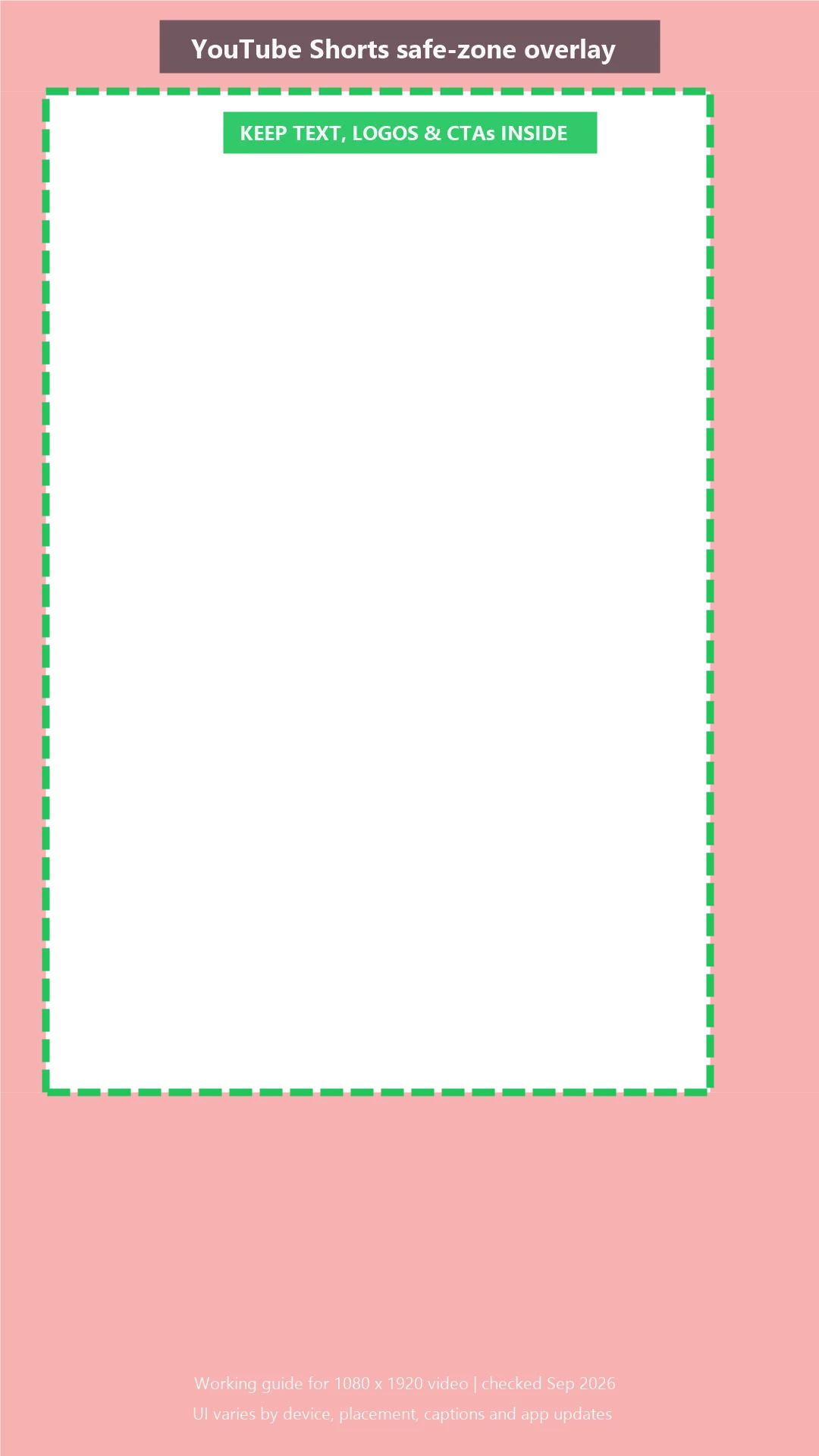
This guide covers TikTok, Instagram Reels, Facebook Reels and YouTube Shorts, with free transparent overlays for a 1080 × 1920 video. Place one above your edit, move important content inside the marked area, then remove it before export. Please remove it. The red boxes are helpful, but not especially on-brand.
Need one template that works across all three platforms? Start with the universal version. You will find the more precise TikTok, Reels and YouTube Shorts downloads in their sections below.
These are conservative working guides, not permanent specifications. Interfaces vary by device, placement, caption length and ad format. Preview the final placement before publishing.
Social media safe zones at a glance
All four platforms work well with a vertical 9:16 canvas, commonly exported at 1080 × 1920 pixels. The usable safe area inside that canvas is not identical.
| Platform | Use this canvas | Keep clear of | Safest placement for key content |
|---|---|---|---|
| TikTok | 1080 × 1920, 9:16 | Top labels, right-side actions, caption and ad CTA below | Upper-middle and center-left |
| Instagram Reels | 1080 × 1920, 9:16 | Top controls, right-side actions, account name and caption below | Central area |
| Facebook Reels | 1080 × 1920, 9:16 | Reactions, account details, caption and paid CTA | Central area |
| YouTube Shorts | 1080 × 1920, 9:16 | Top controls, right-side actions, title and channel details below | Upper-middle and center-left |
The universal template later in this guide shows a conservative cross-platform area. It gives you less room, but fewer unpleasant surprises.
What is a social media safe zone?
A social media safe zone is the part of your video that stays clear of usernames, captions, action buttons, music details and paid-ad CTAs.
Keep anything essential inside the safe area:
- headlines and subtitles;
- prices, offers and discount codes;
- logos and product details;
- faces, hands and demonstrations;
- calls to action.
Background scenery may extend beyond it. If a palm tree sits behind the Like button, the campaign will survive. If your price does, that is a more expensive tree.
Safe zone vs. video dimensions
Video dimensions describe the whole canvas. A 1080 × 1920 video has a 9:16 aspect ratio, which fills a vertical phone screen.
The safe zone is the smaller usable area inside that frame. Correct dimensions stop awkward cropping. A safe zone stops the app interface from covering the message. You need both. One is the room; the other tells you where not to put the sofa.
TikTok recommends vertical 9:16 creative inside its UI safe zone. YouTube recommends vertical assets for Shorts ads, while organic Shorts can be square or vertical. Use 9:16 for one clean cross-platform canvas. (TikTok creative guidance, YouTube Shorts guidance)
Organic vs. paid-ad safe zones
Paid placements often leave less room. An ad may add a Sponsored label, headline, shopping card or CTA button. Longer captions also occupy more of the lower screen.
TikTok states that its ad safe zone changes with the video's dimensions, caption length and extra ad formats. Meta provides a dedicated Reels ad safe-zone checker because the paid layout adds its own controls. In other words, there is no immortal pixel map carved into a mountain. (TikTok In-Feed ad specifications, Meta Reels ad guidance)
For paid ads:
- Use the most conservative overlay.
- Keep the offer and CTA away from the bottom edge.
- Preview the exact placement in Ads Manager.
- Check every variation after changing the caption or CTA.
In Meta's analysis, Reels campaigns using 9:16 video with audio and key messages inside the safe zone produced a 34.5% lower cost per result than campaigns using image ads. The test compared several creative choices together, so the safe zone did not necessarily cause the full improvement. Still, platform-native execution matters.
TikTok safe zone
What TikTok places over your video
TikTok places navigation near the top, actions on the right, and account, caption, sound and ad details toward the bottom. The footprint changes with captions and add-ons.
Where to position captions, products and CTAs
Put the product and headline around the middle, slightly left of center. Keep captions above the description area. Never park a price against the right edge.
Use the guide as a transparent layer while editing:
If you are turning an organic post into a paid placement, check the final Spark or In-Feed layout too. Our  TikTok Spark Ads guide explains where the extra ad elements come from. TikTok likes native-looking creative. It still brings a lot of buttons to the party.
Instagram and Facebook Reels safe zone
What Reels places over your video
Instagram and Facebook Reels show account, caption and audio details below, actions on the right, and controls near the top.
Feed previews, captions and paid-ad CTAs
Keep the product, face and primary claim central. A Reel may also appear outside the full-screen viewer, so check its cover and opening frame separately.
Reels and Stories use the same vertical canvas, but they serve different purposes. Learn  when to use an Instagram Reel or Story before creating your next version.
Paid Reels can add a CTA and sponsorship details beneath the creative. Give the bottom of the frame more breathing room than you think it needs. Bottom-screen text has a remarkable talent for finding buttons.
For campaign advice, see our  Instagram Reels ads and
  Facebook video ads guides. Meta recommends 9:16 Reels creative with audio and key messages inside the safe zone.
YouTube Shorts safe zone
What YouTube places over a Short
YouTube Shorts places actions on the right and channel, title or sound details below. Ads may also show a CTA. Shorts ads appear between organic videos and can be skipped immediately. Your message has competition, and that competition has a very active thumb. (Google's guide to Shorts ads)
Where to keep titles, subtitles and products
Keep titles and products in the upper-middle or center-left area. Move subtitles high enough to clear the title and channel information, but not so high that they collide with top controls.
Google recommends vertical assets for Shorts ads. Ads may run up to three minutes, but only the first 60 seconds play in the Shorts feed. Safe placement matters from second one. (YouTube Shorts ad specifications)
Our  YouTube Shorts ads guide covers the wider campaign setup and creative workflow.
One universal safe zone for all three platforms
For one master edit, use the smallest shared central area. Keep captions, faces, products, prices and CTAs inside it. Let backgrounds fill the rest.

This approach is quick and reliable, but platform-specific versions are still better for major paid campaigns. One master export saves time. Three checked exports may save the CTA.
How to create safe-zone-ready videos with Reloop
Reloop brings creation, assets, captions, music and timeline editing into one workspace for ads, social posts, demos, explainers and UGC-style videos.
- Start a video from your idea or import your assets.
- Choose a portrait 9:16 project.
- Add the relevant overlay as a visual reference.
- Move captions, products and CTAs into the clear central area.
- Remove the guide before export.
- Watch the export on a real phone.

Have a finished video in the wrong shape? Resize it below before checking the safe zone. Stretching landscape into portrait is geometry asking for help.
Drop your video here or click to upload
MP4, MOV or WebM · up to 200 MB · your file never leaves your device
How should it fit?
Fill the frame, crop the edges. Best for most social posts.






Free Video Resizer
Resize video for every platform — free, private, right in your browser.
For more editing guidance, read our  short-form video editor guide and
  open captions vs. closed captions comparison. If you plan scenes before production, mark text placement in your
  ad storyboard too.
Social media safe-zone checklist
Safe placement protects your message, but it does not decide what your team should publish. Use our free  social media strategy template to define your goals, audience, channel roles, content pillars, publishing workflow and success metrics on one practical page.